
Challenge Description
 Aha, a Wireshark challenge. First we download the .
pcapng file using wget <link>.
Wireshark
Wireshark is a network analysis tool.
For more information, refer to Wireshark’s official documentation.
Finding the flag
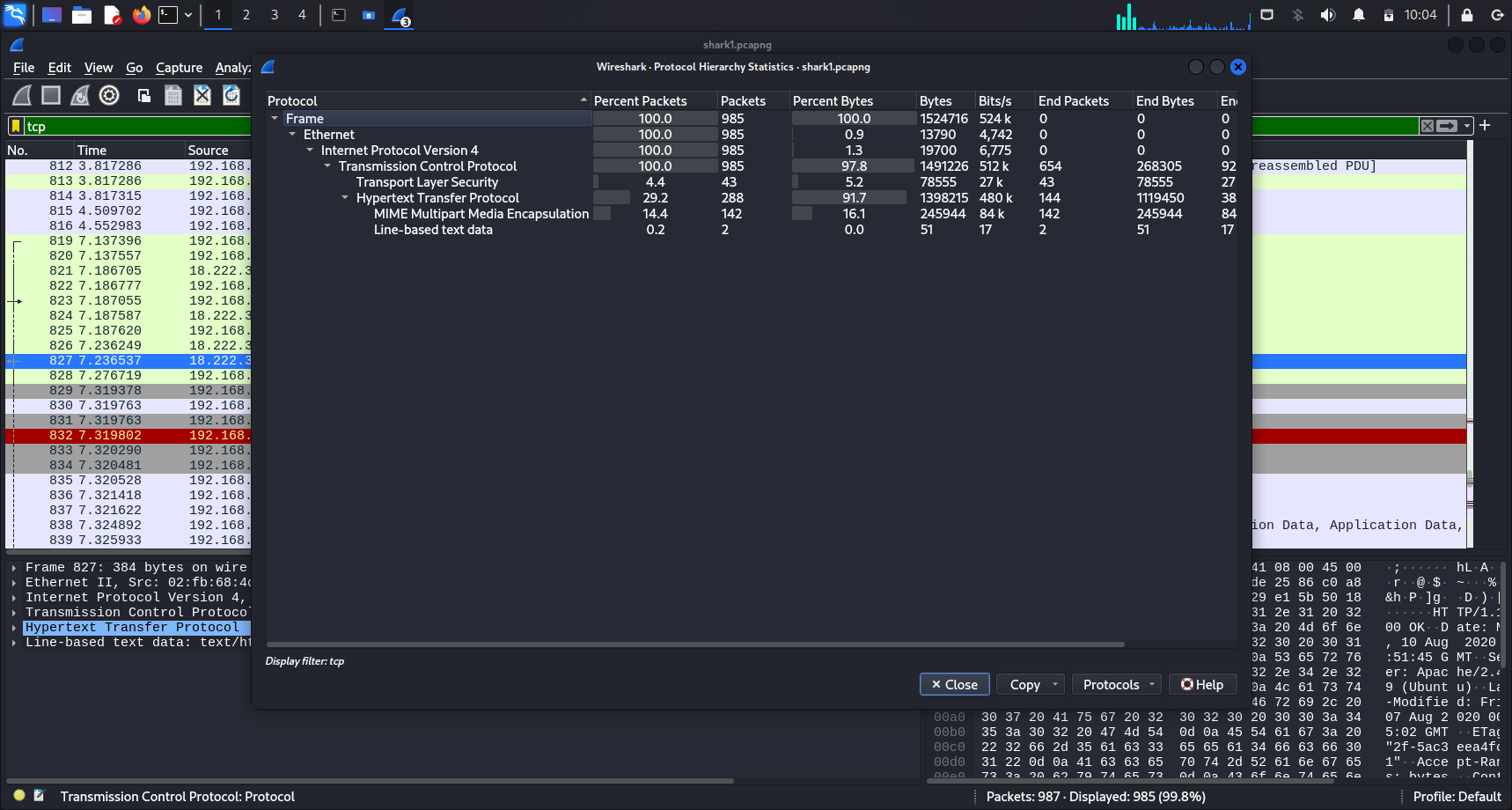
After opening the file in Wireshark, I first went to check the Protocol Hierarchy, and decided to use tcp as a filter.
What is Protocol Hierarchy?
Protocol hierarchy in Wireshark is a feature that displays a breakdown of the different protocols used within the captured data, organized by their layers in the OSI model. It shows how much traffic each protocol generated in terms of packets and bytes, helping you understand the structure of the captured data.
This can identify potential points of interest.
Protocol Hierarchy in Wireshark
Simply head over to
Statistics > Protocol Hierarchyto view the Protocol Hierarchy.
TCP Stream 5
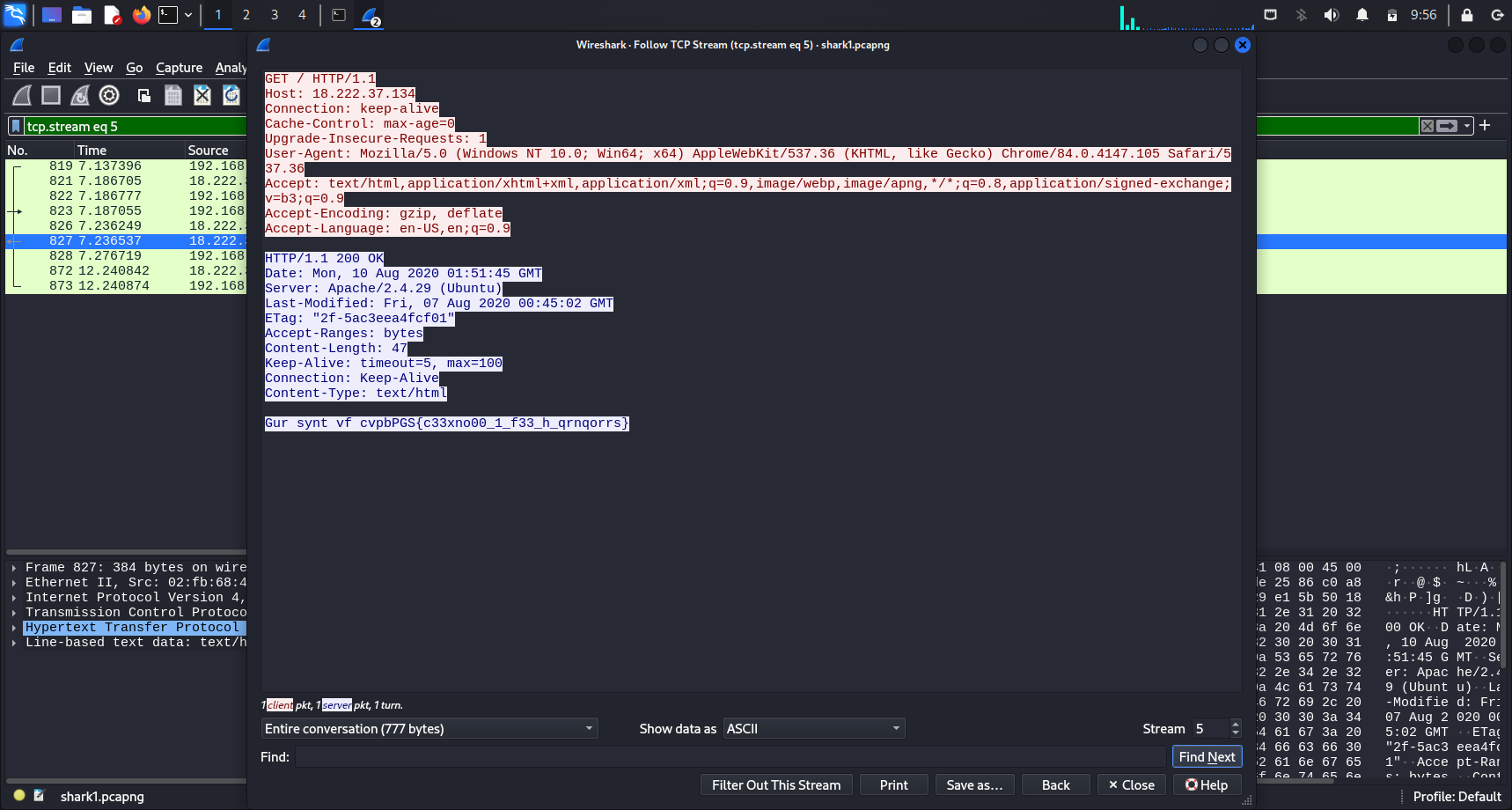
After filtering the packets by using thetcpfilter, I went to check the TCP streams. In tcp stream 5, there was a string with the familiar curly braces { and }, which hinted that the string may be the flag we’re looking for.
Unfortunately, the flag isn't in plaintext.
Here’s what the string looks like:
Gur synt vf cvpbPGS{c33xno00_1_f33_h_qrnqorrs}
Retrieving the flag
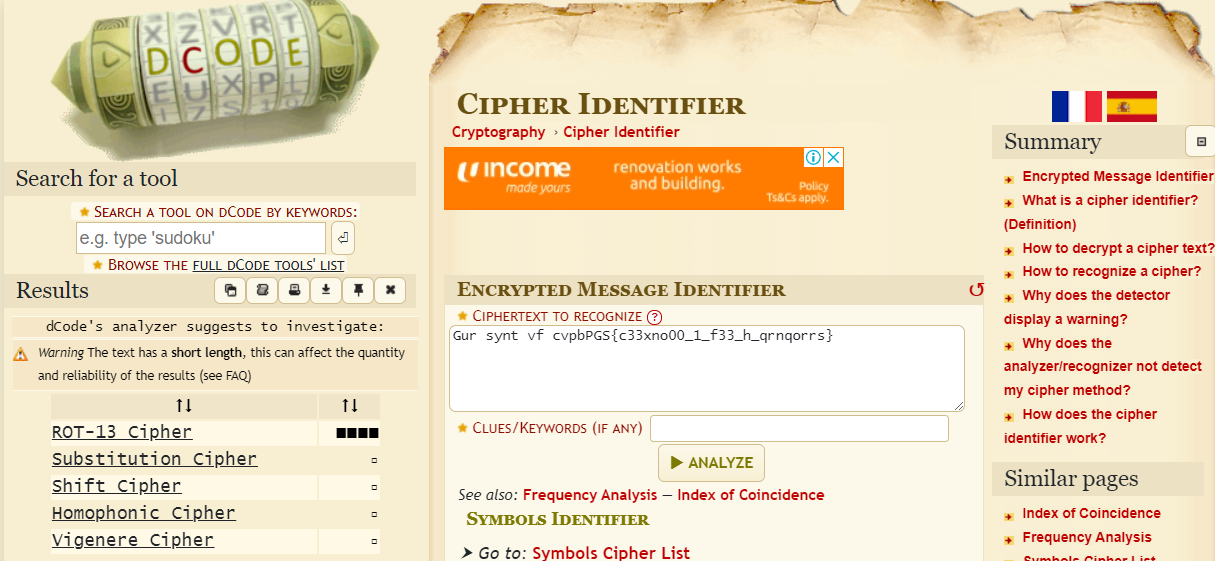
Since I did not intuitively realise which cipher was used to encrypt the flag, I used a Cipher Identifier to do the job for me.
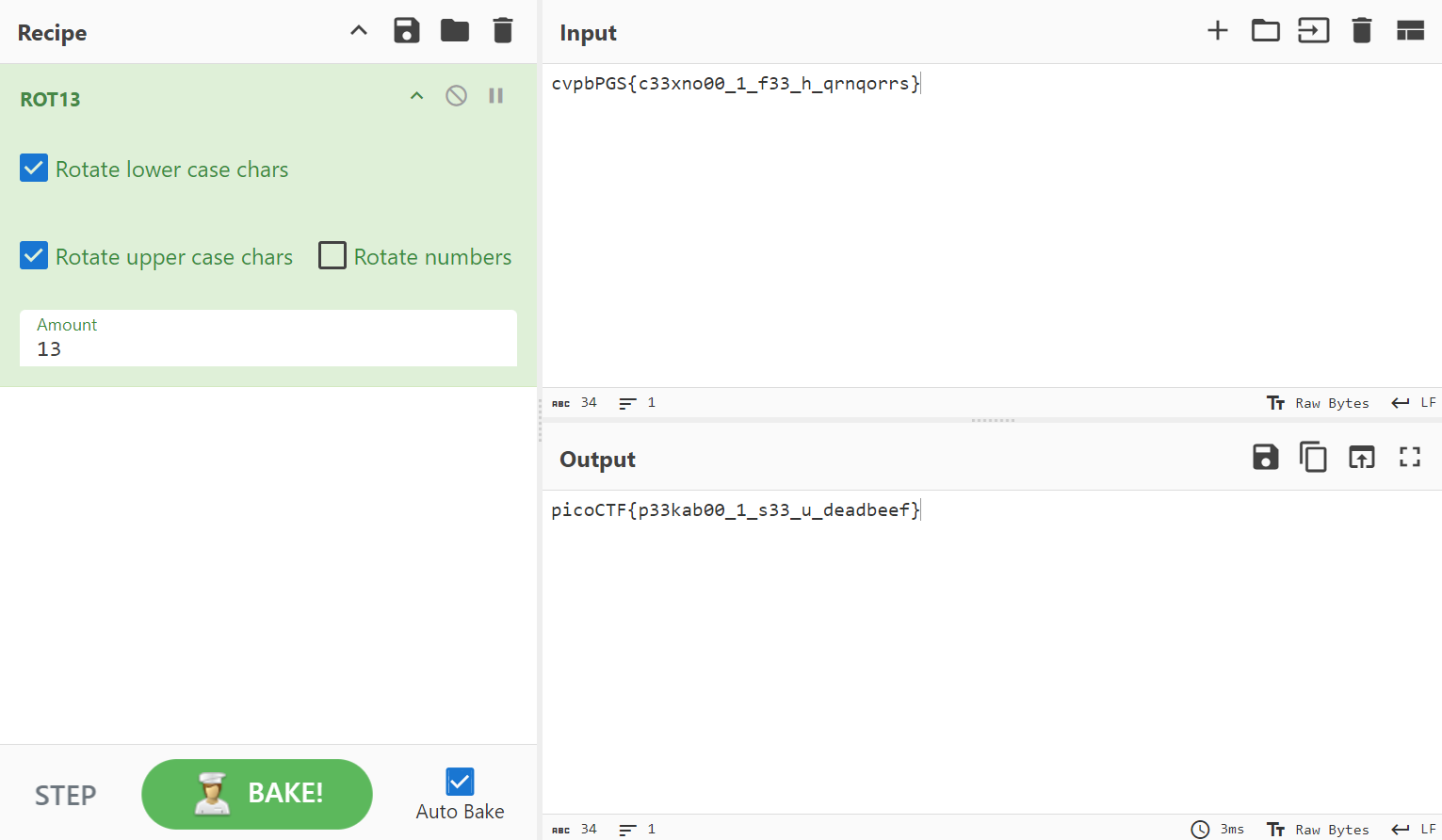
Since it highlighted that the string may have been encrypted using ROT13, I headed to CyberChef to obtain our flag. https://rot13.com/ also works.
Flag
picoCTF{p33kab00_1_s33_u_deadbeef}