
Challenge Description
Description
I was told that the flag is separated into 3 files, but I can’t seem to retrieve it and I don’t know what’s wrong…
- Author: Jun Wei
- Category: misc
- Difficulty: medium
- Discord: syn3pz
Files
Extensions - Solution
For this challenge, all we have to do is to change the file extensions to whatever they should be.
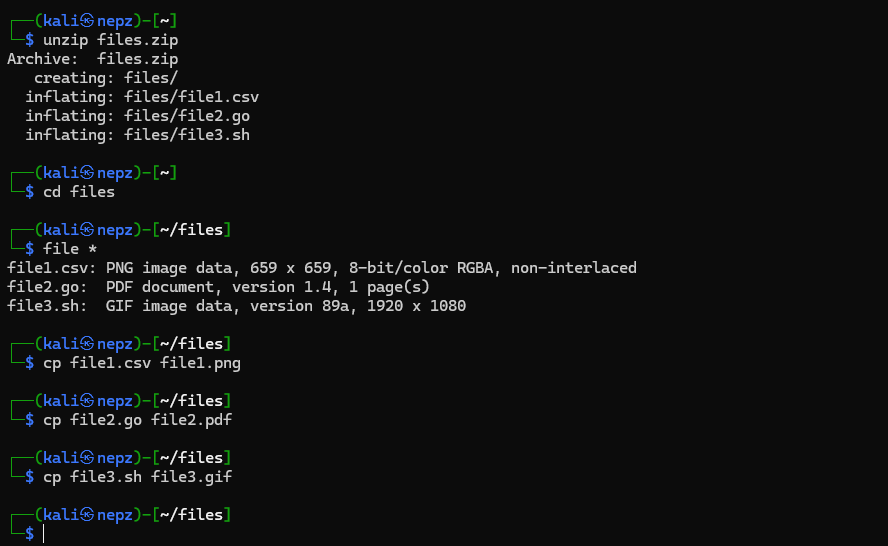
After unzipping the zip file, navigate into the extracted files directory and check the correct file types of the 3 files.
This can be done by running file *.
We will realise that we need to change the file extensions of the 3 files as follows:
file1.csv→file1.pngfile2.go→file2.pdffile3.sh→file3.gif
Next, just open these files and read the respective parts of the flag.
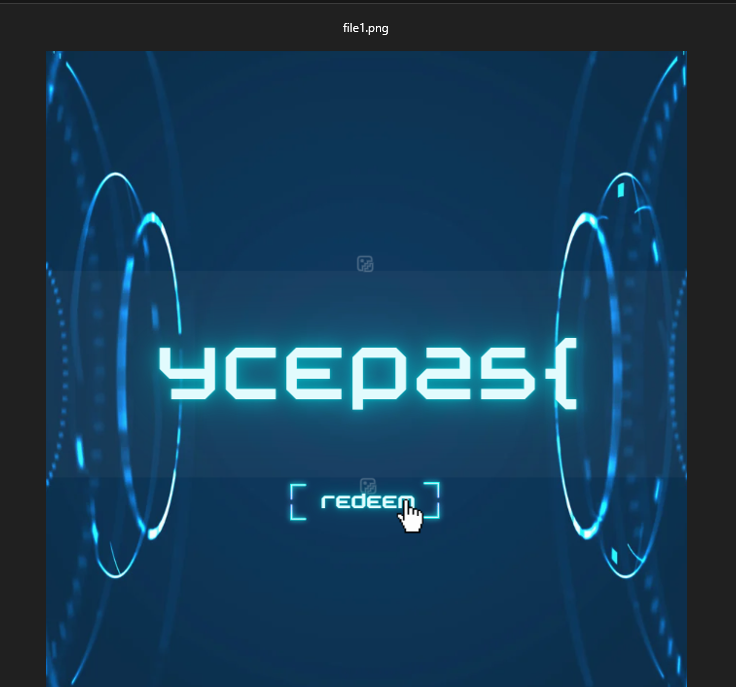
The file called file1.png should contain the first part of the flag, which is YCEP25{.
The second file is called file2.pdf. A screenshot of the second file is shown below.
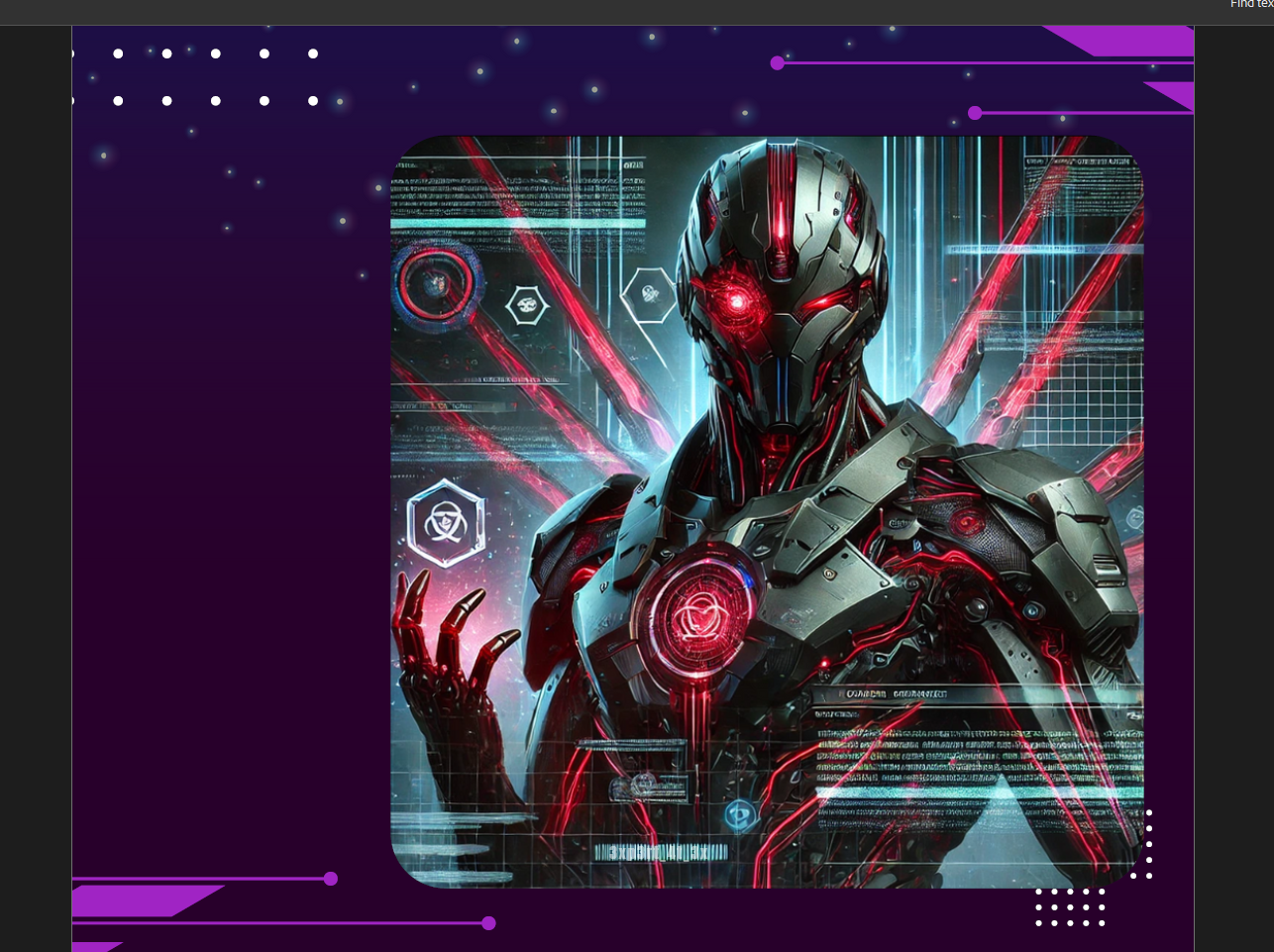
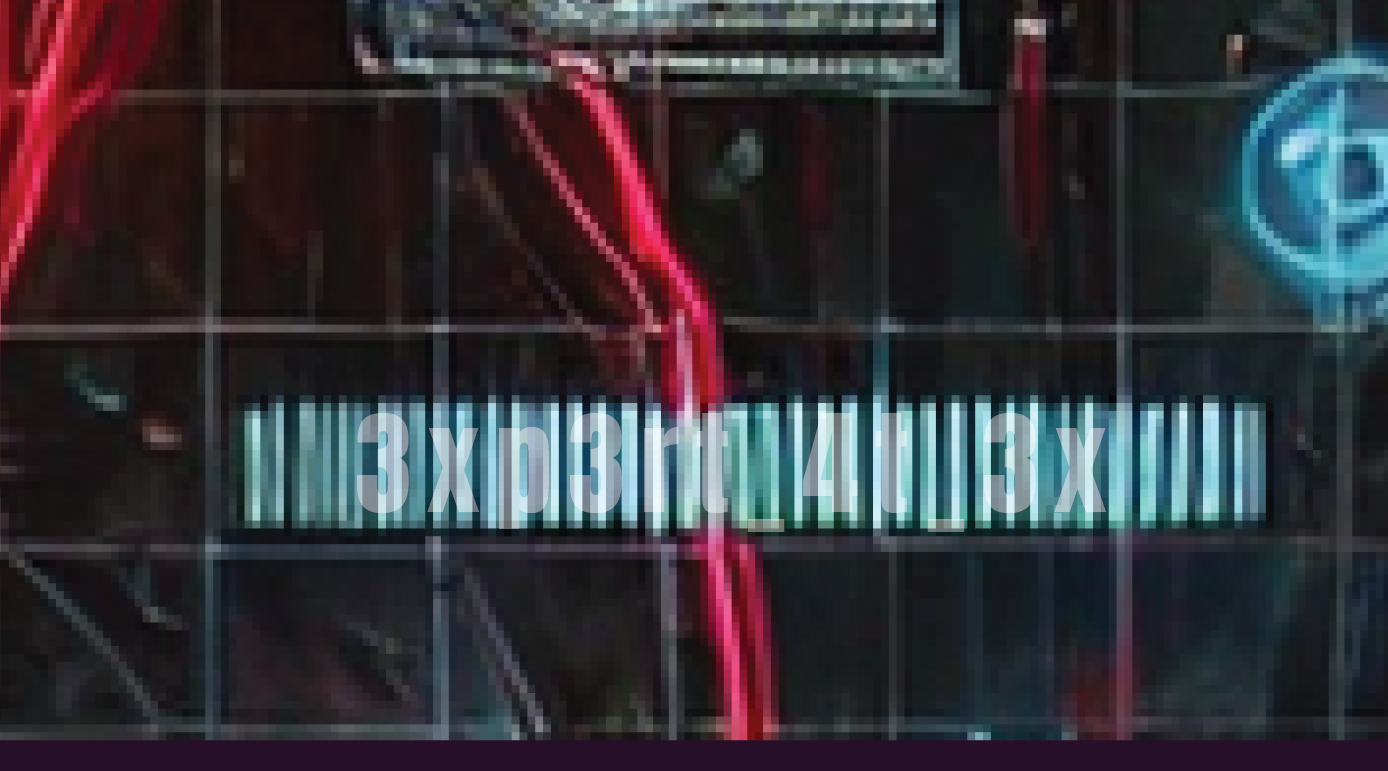
You may not be able to see the flag at first glance. However, if we zoom into the image and analyse it carefully, we should be able to find part 2 of the flag (3xp3rt_4t_3x).
Lastly, the last file (file3.gif) is a GIF video. The last part of the flag t3n510ns} is shown at the top left corner of the GIF video, disguised as a organisation logo/name. An example is shown in the screenshot below.

After getting all 3 parts of the flag, we can now piece them together.
Flag
YCEP25{3xp3rt_4t_3xt3n510ns}