
Challenge Description
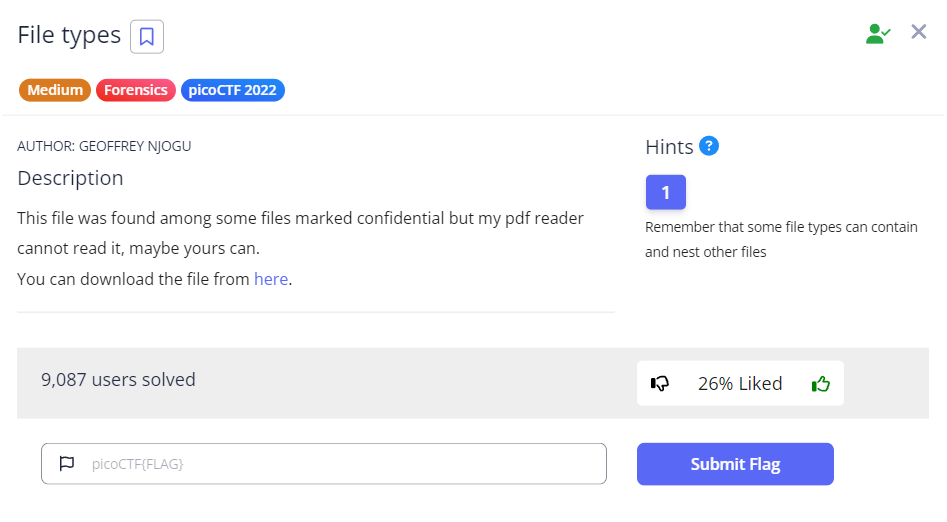
This challenge requires us to use binwalk and decompress many file types to eventually obtain our flag… and there’s a reason why it’s only 26% liked.
As usual, we start by using wget to download our file from PicoCTF. After running file <file-name>, we realise that the flag.pdf file should have a .sh file extension instead. So we do cp flag.pdf flag.sh in order to be able to execute the script.
Executing the script
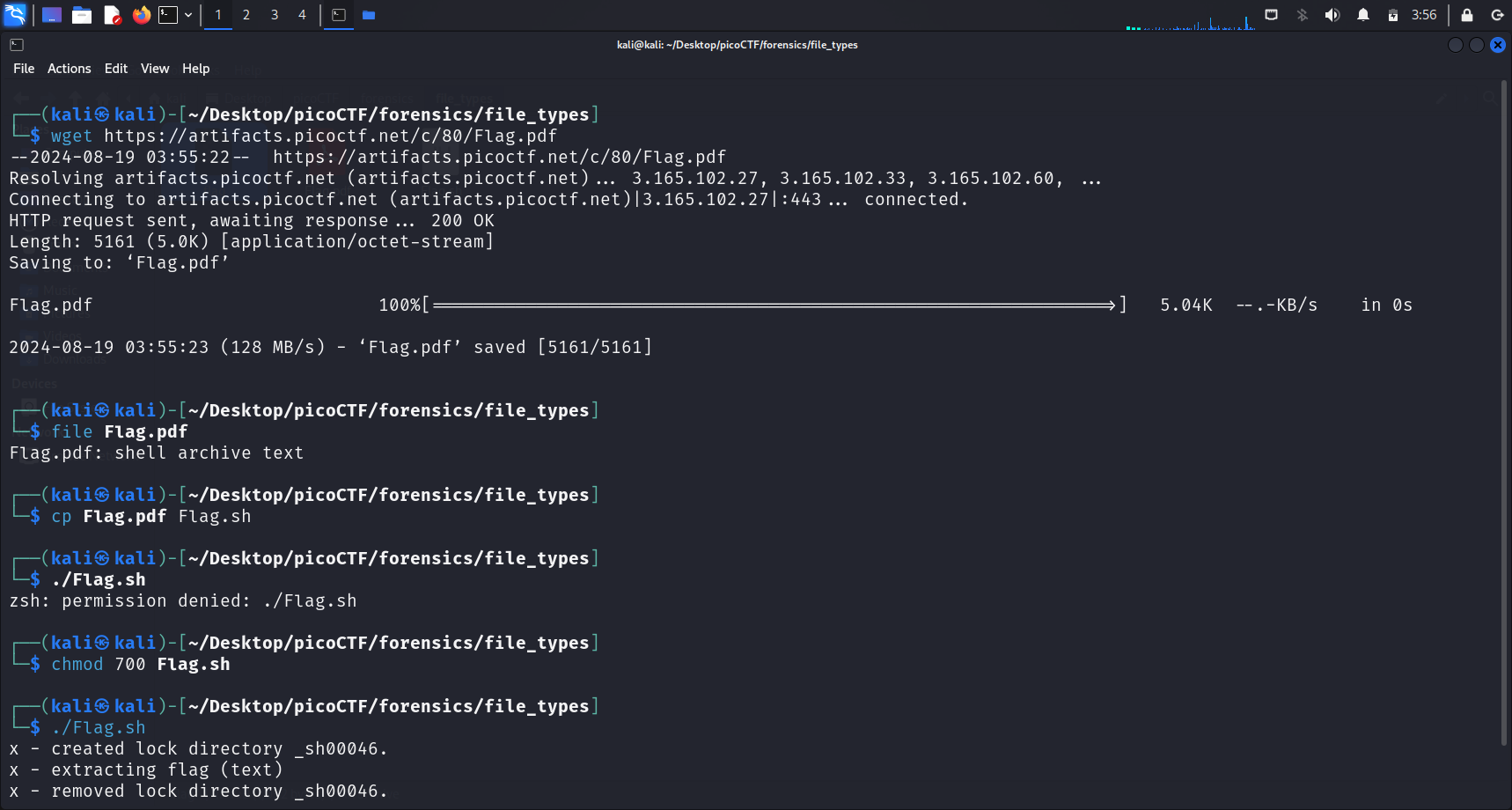
To execute the script, we run ./flag.sh. However, we do not have the execute permission and thus we shall do chmod 700 flag.sh.
File permissions
We need the execute permission to execute the script.
chmod 700 <file-name>gives us read, write and execute permissions. For more information about what these numbers represent, refer to this section.
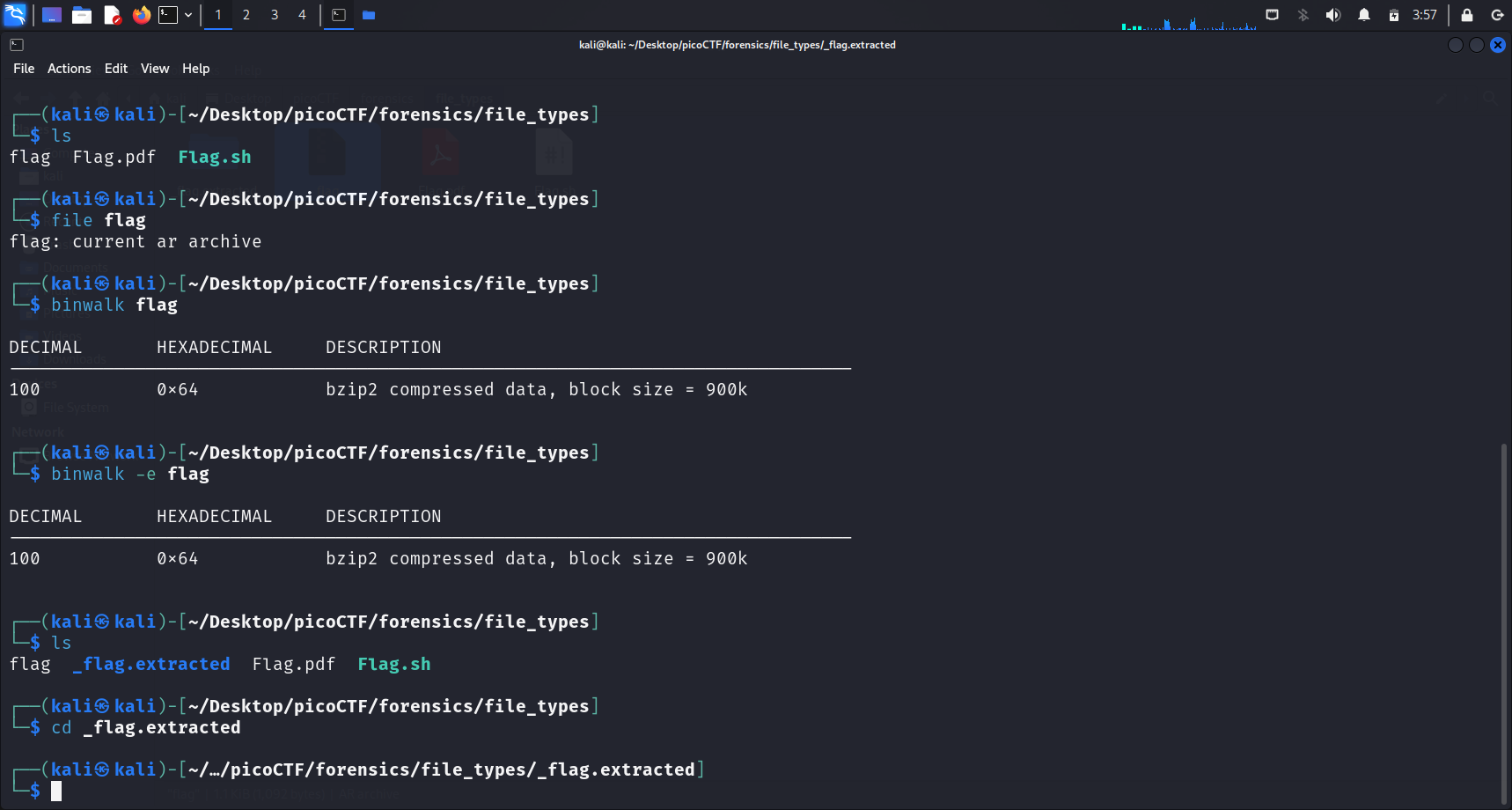
Running the script extracts a file called flag in the same directory.
PicoCTF Hint: Remember that some file types can contain and nest other files.
This may be giving us a hint to use binwalk. Indeed, running binwalk -e <file-name> extracts another directory.
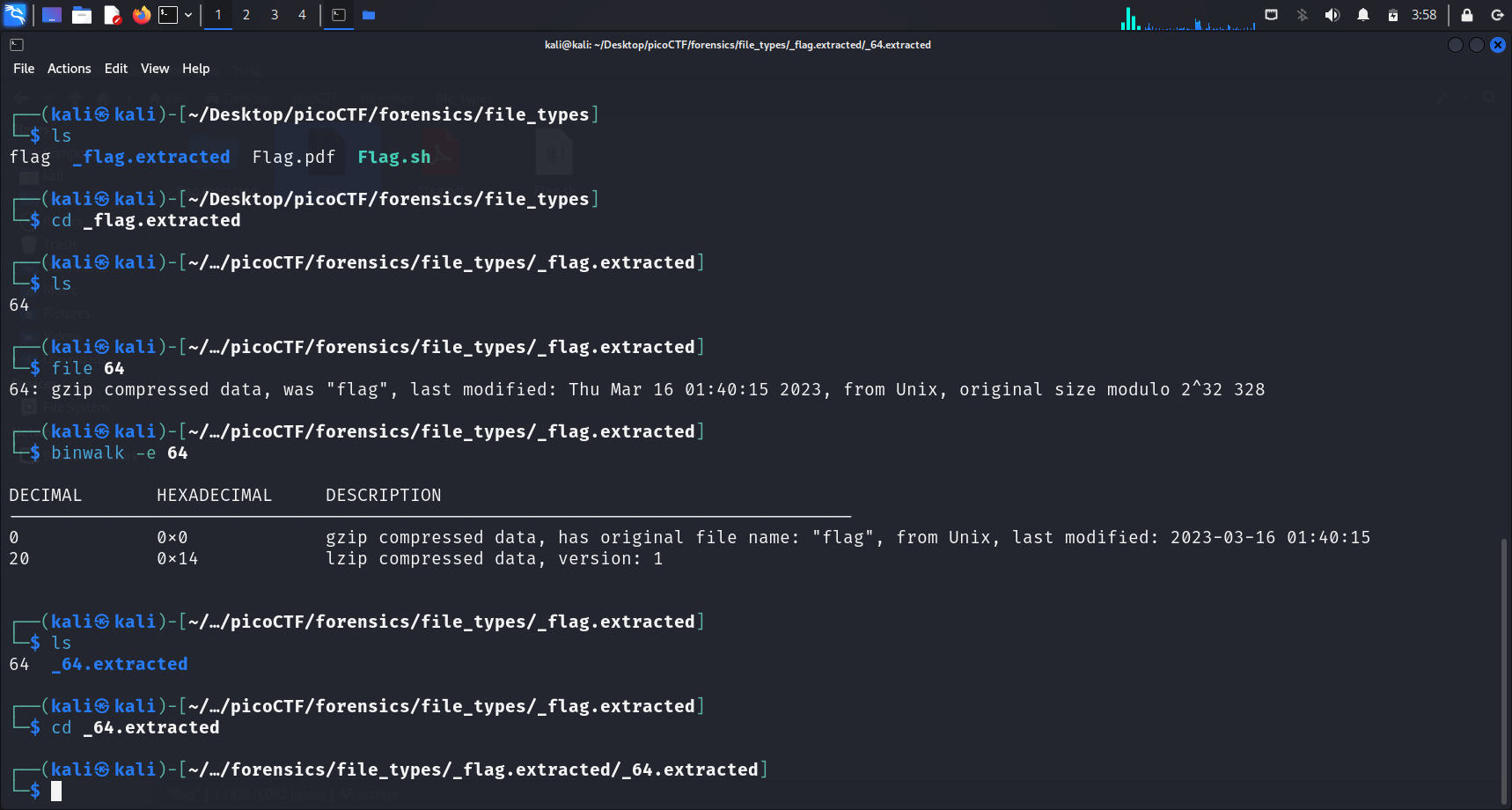 After we
cd into the_flag.extracted directory, we notice that there is a file called “64”. Running binwalk -e again reveals another directory that we should explore.
Contents of the directory
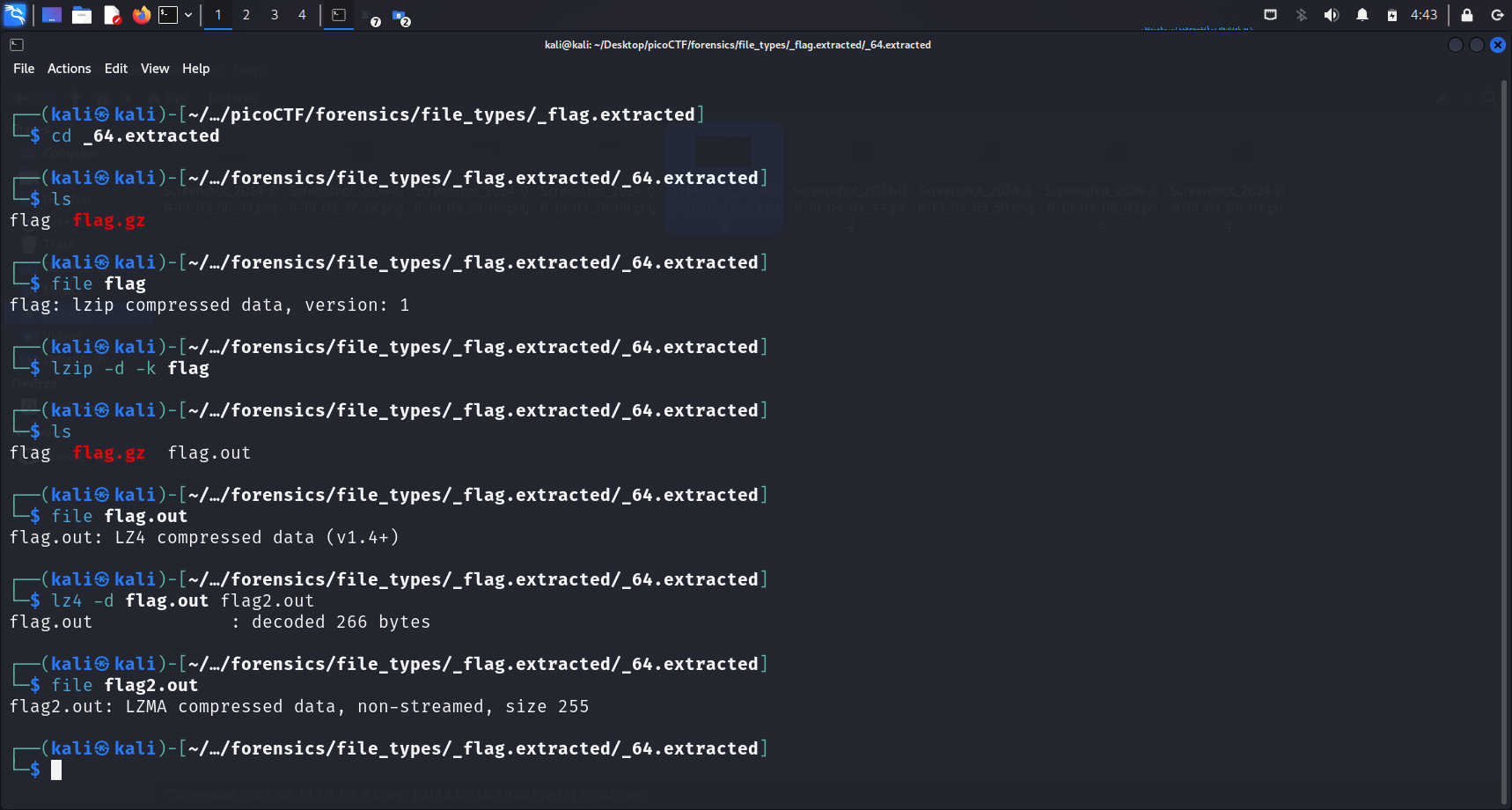
There is a file called flag in this _64.extracted directory. Running file flag shows that flag is a lzip file.
File types
The file types we will encounter in this challenge (
lzip,lz4,lzma,lzop,xz) are all decompressed in a similar manner.<file-type> -d -k <file-name>-d: decompress-k: keep (don’t delete) input files We can use-oto specify the output files as well, but since the file type of the output file is unknown for this challenge, I did not do that. Instead I usedcp <file-name> <output-file-name>after I runfile <file-name>as soon as I got the output files.
lzip -d -k <file-name>
lz4 -d -k <file-name>
lzma -d -k <file-name>
lzop -d -k <file-name>
xz -d -k <file-name>
Decompressing and extracting files
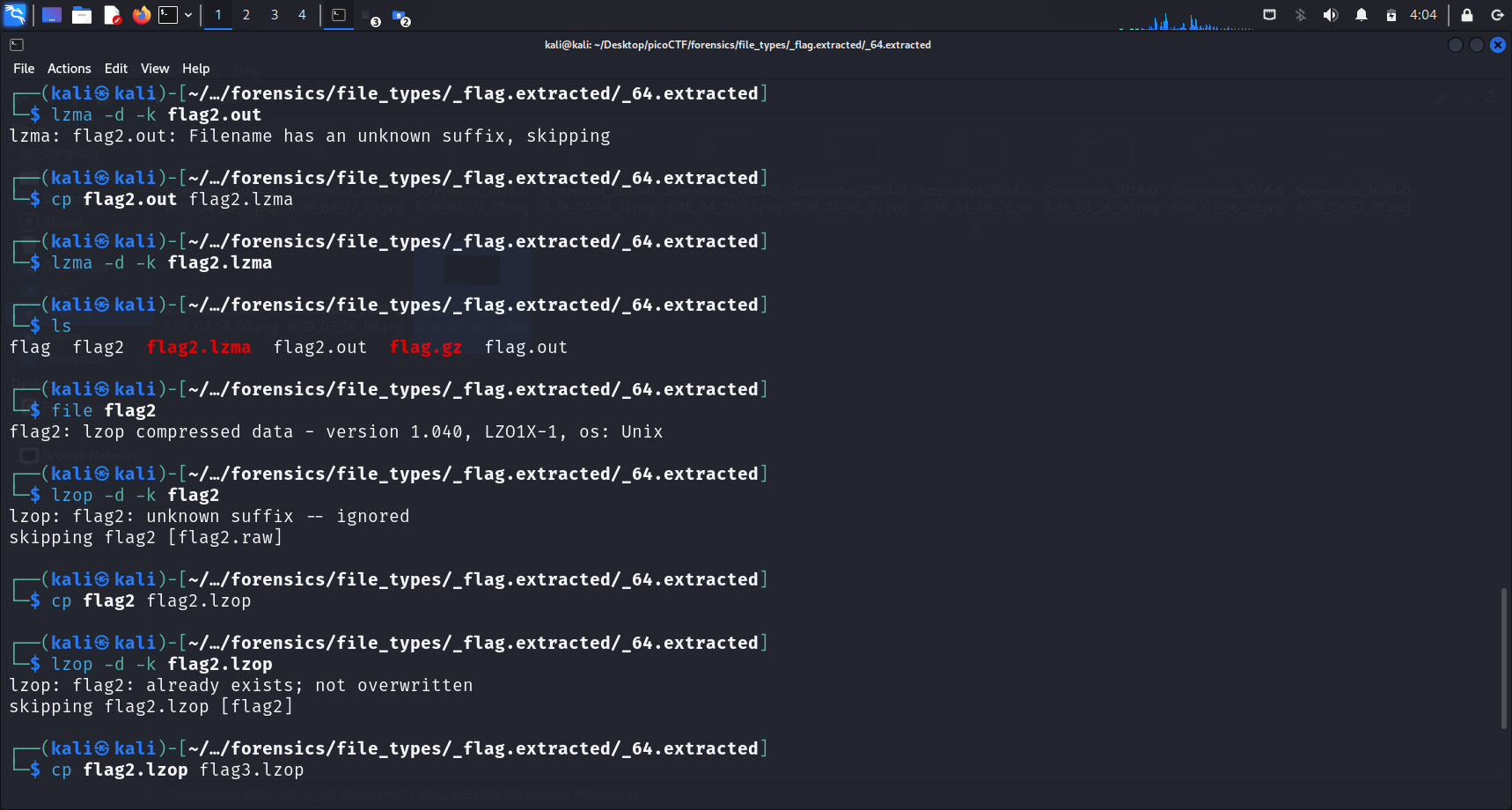
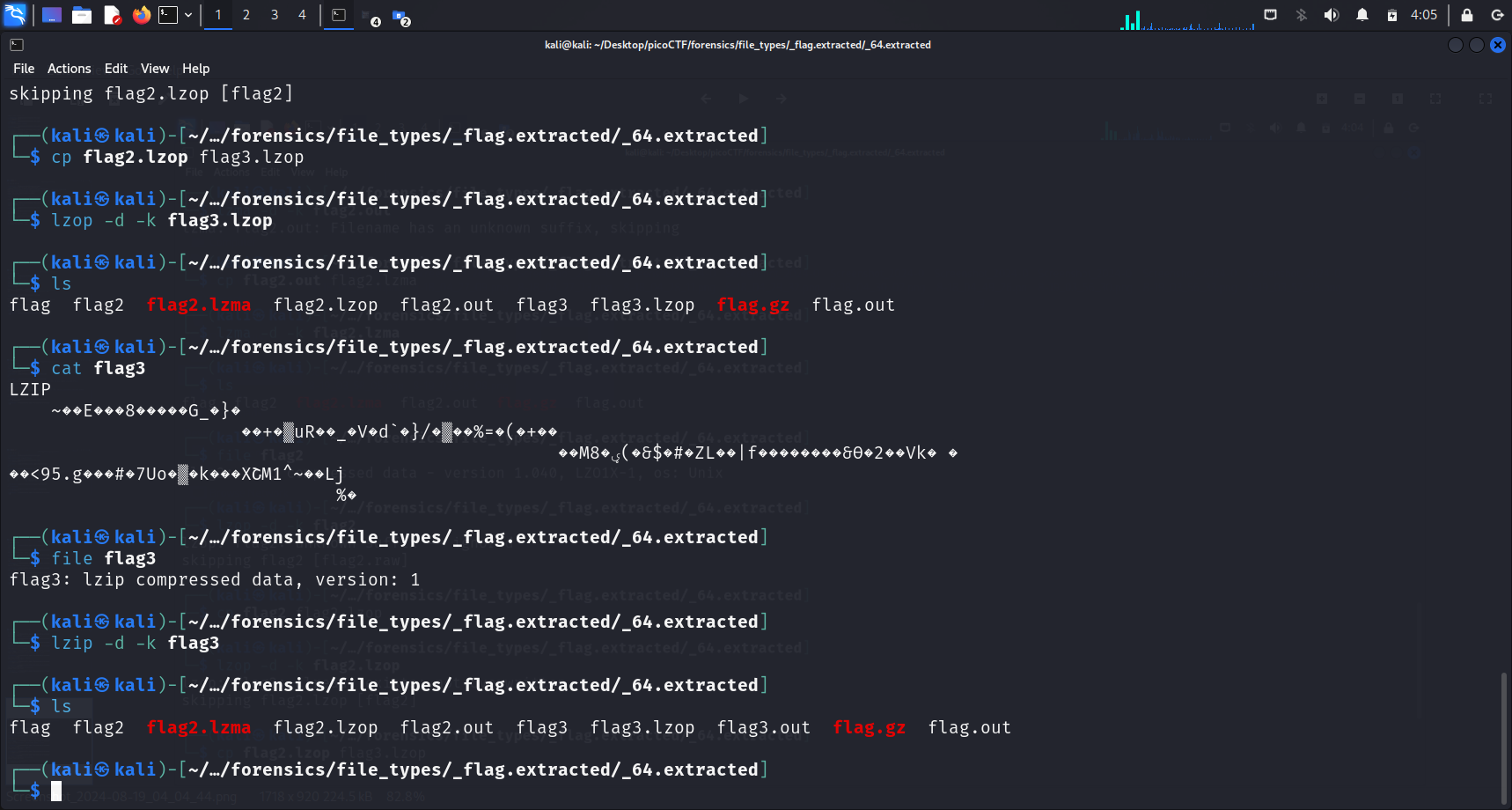
I simply decompressed and extracted the files one after the other, until I ran file flags and realised that a file called flags contained ASCII text.
ASCII text
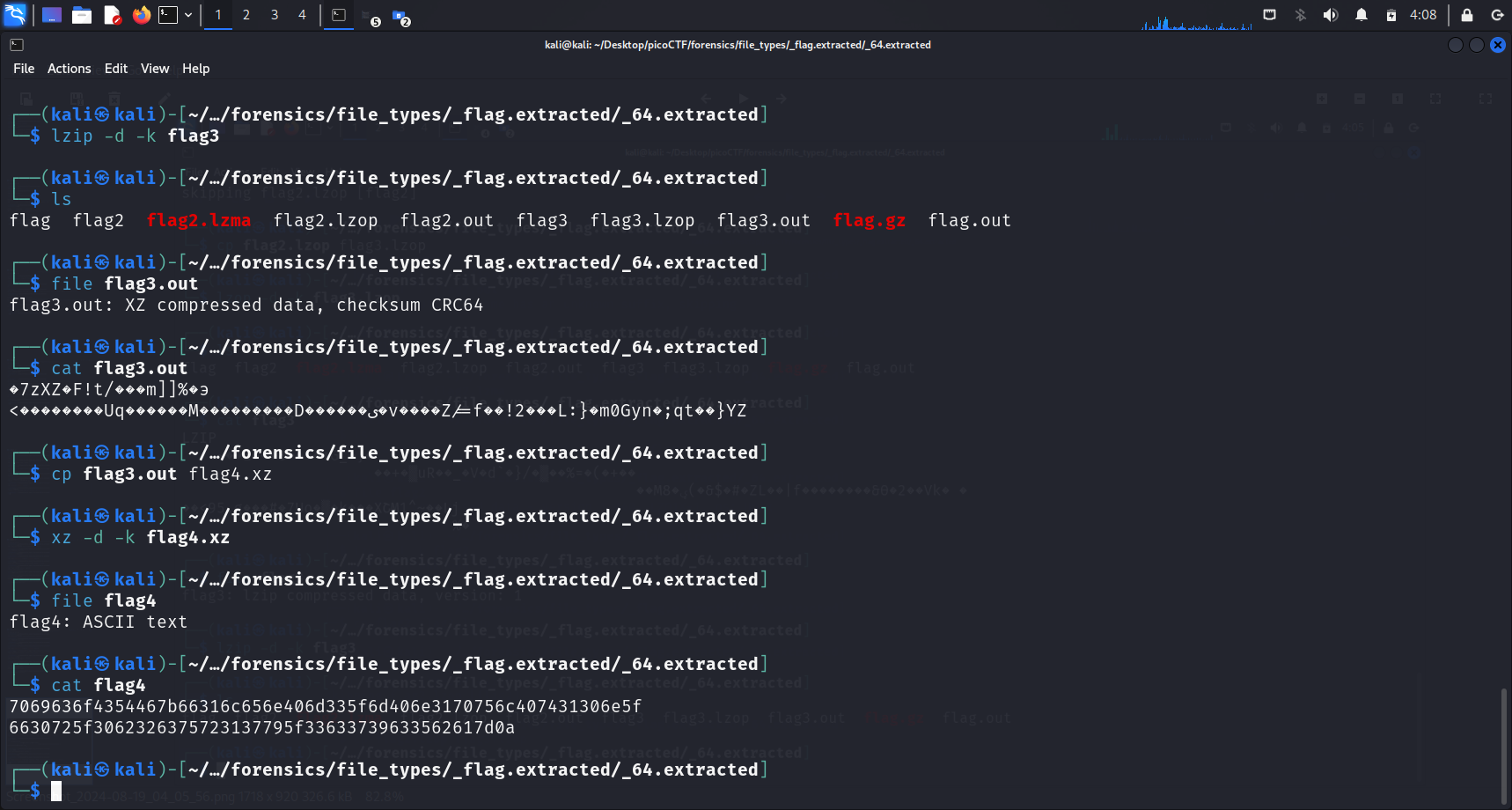 I proceeded to
cat the file, obtaining a string of numbers. Then I tried to input the string in CyberChef, and from there I got the flag.
CyberChef "Magic" Operation
To obtain the flag, I just connected both strings of numbers and used the CyberChef “Magic Wand” icon. To read more about CyberChef “Magic” Operation, you may refer to this.
CyberChef
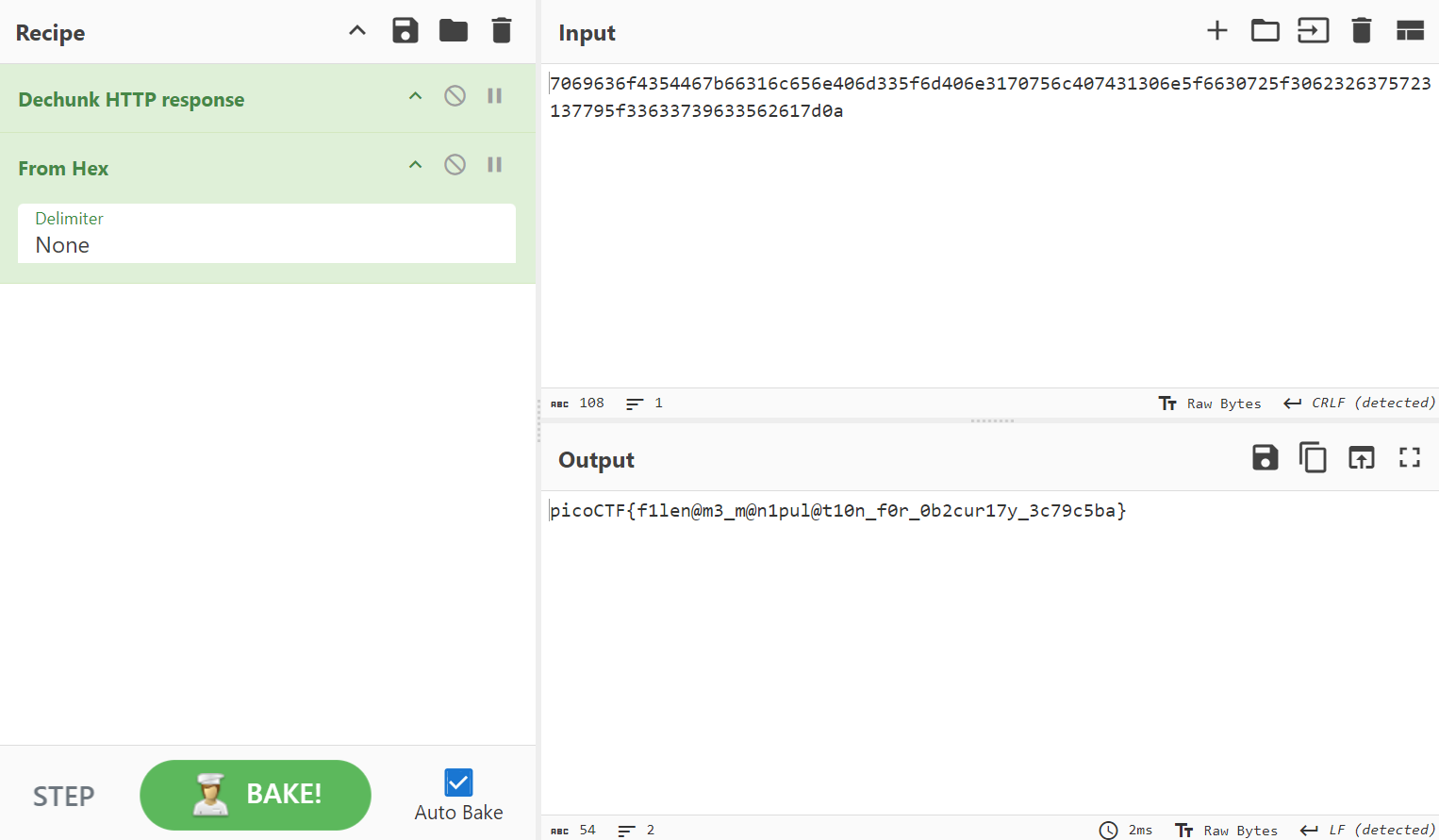
Flag
picoCTF{f1len@m3_m@n1pul@t10n_f0r_0b2cur17y_3c79c5ba}